AI-Powered Data Import Tool
Self-service onboarding for SMB customers
UX Research
UX Design
Feb 2025
Product Manager, Architect, Implementation Lead
CHALLENGE
SMB customers were churning before they ever experienced the product.
NPS scores for this segment sat in detractor territory — a 3 or 4 out of 10. Research pointed to a consistent culprit: onboarding. Customers got little guidance preparing their data for import. The implementation team picked up the slack. And new customers started their journey frustrated before they'd ever seen the product work.
RESEARCH
The real problem wasn't missing data, it was missing guidance.
I pulled from several sources simultaneously: competitor research, customer interview transcripts, implementation team feedback, and internal documentation. Rather than analyzing these in isolation, I synthesized them together to find patterns across what customers said, what the team experienced, and what the market had already proven.
Every import stalled at field mapping.
Customers were guessing which fields matched. The implementation team was correcting. Both sides were losing time on the same problem.
Most swung too far toward full automation — leaving users no visibility into whether the AI had made the right call. Trust was the missing ingredient.
One tool could serve two user types.
Designed right, the same experience could work for customers running imports independently and for the implementation team assisting on complex migrations — getting smarter with every completed import.
DESIGN
AI does the work. Humans stay in control.
The central design challenge wasn't whether to use AI, it was how much to trust it. I made the decision early to design for human-AI collaboration rather than full automation. The key mechanism was a confidence score on every field mapping, green for high confidence, amber for mappings that needed a second look. Users could scan the table in seconds, accept what the AI got right, and correct what it didn't. Control was always visible, never hidden. This also made the tool viable for the implementation team on complex migrations, not just a self-service product, but a shared tool that improved with every use. One intentionally open question: whether users would select their data source from a template manually, or whether the system would recognize it automatically. Both were viable paths, resolving that would have been the next conversation with engineering.
EXECUTION
From zero to testable prototype in under two days.
Seven screens. Full end-to-end flow. High fidelity. Ready to test.
1 - DASHBOARD
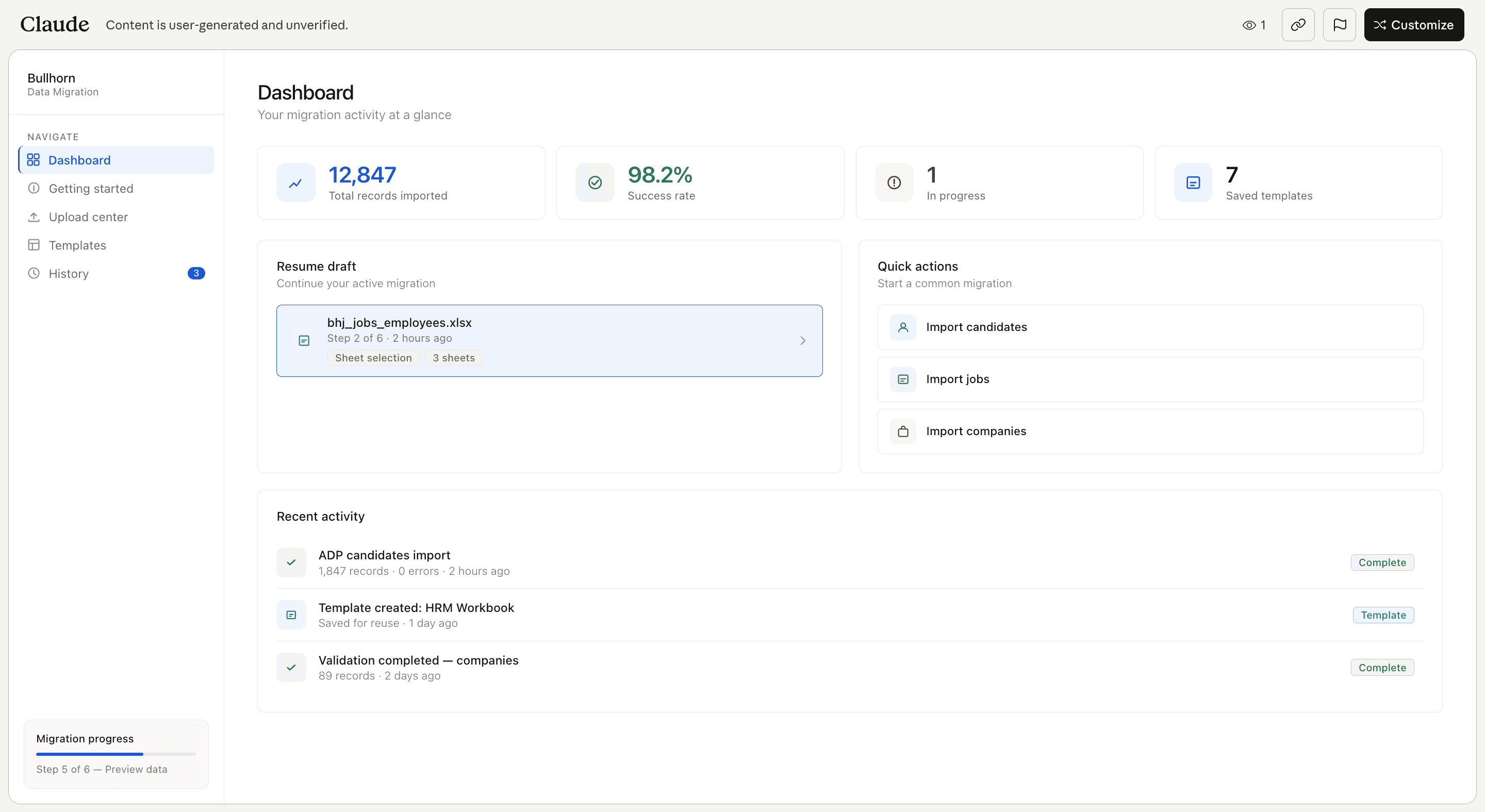
Home base for the migration. A 98.2% success rate is visible before a single action is taken — an immediate confidence signal for users arriving anxious about data integrity.
2- GETTING STARTED
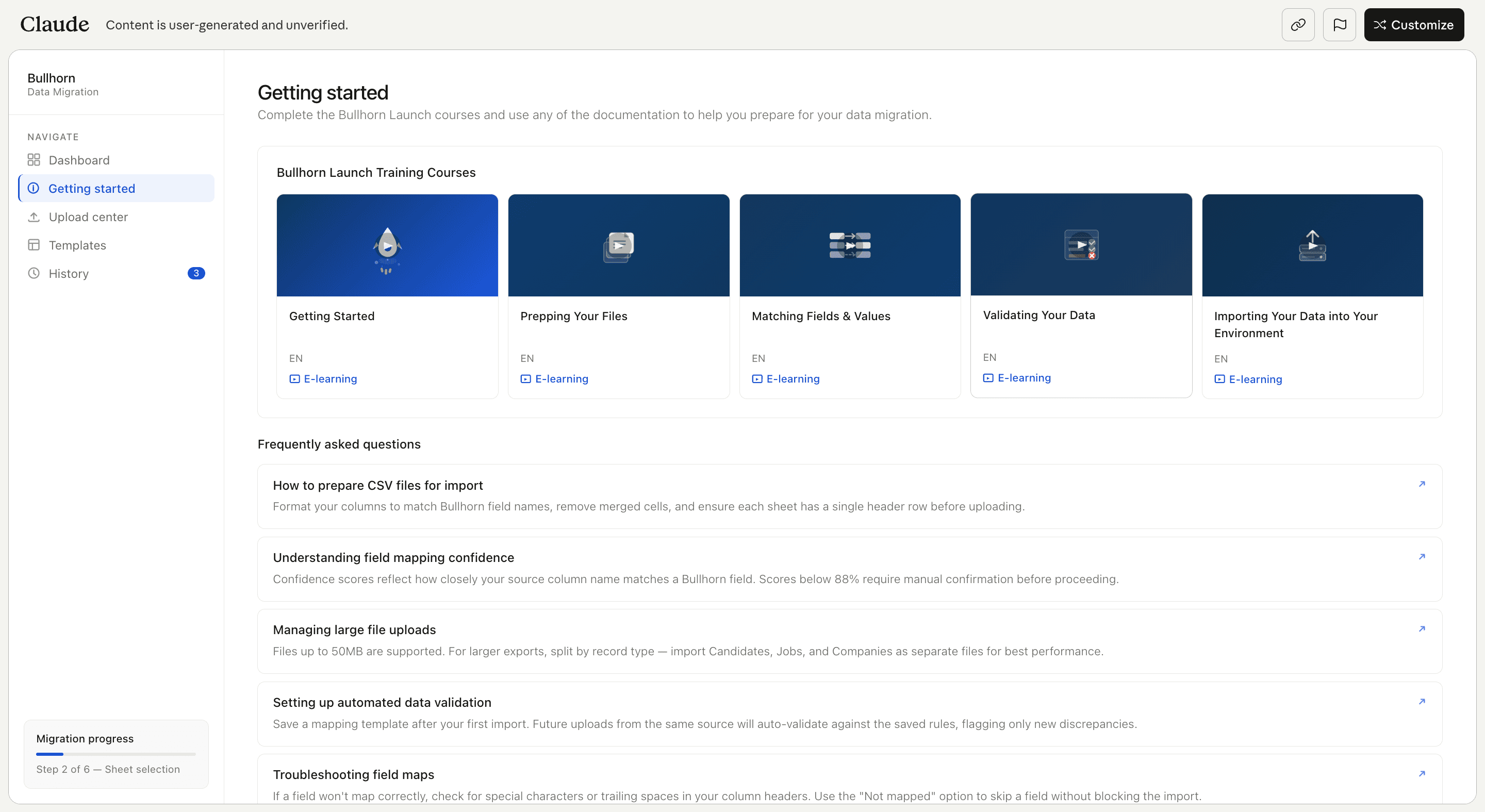
Sets expectations before the flow begins. Most import tools drop users straight into upload and let them figure it out. This step treats orientation as part of the product.
3 - Upload Center
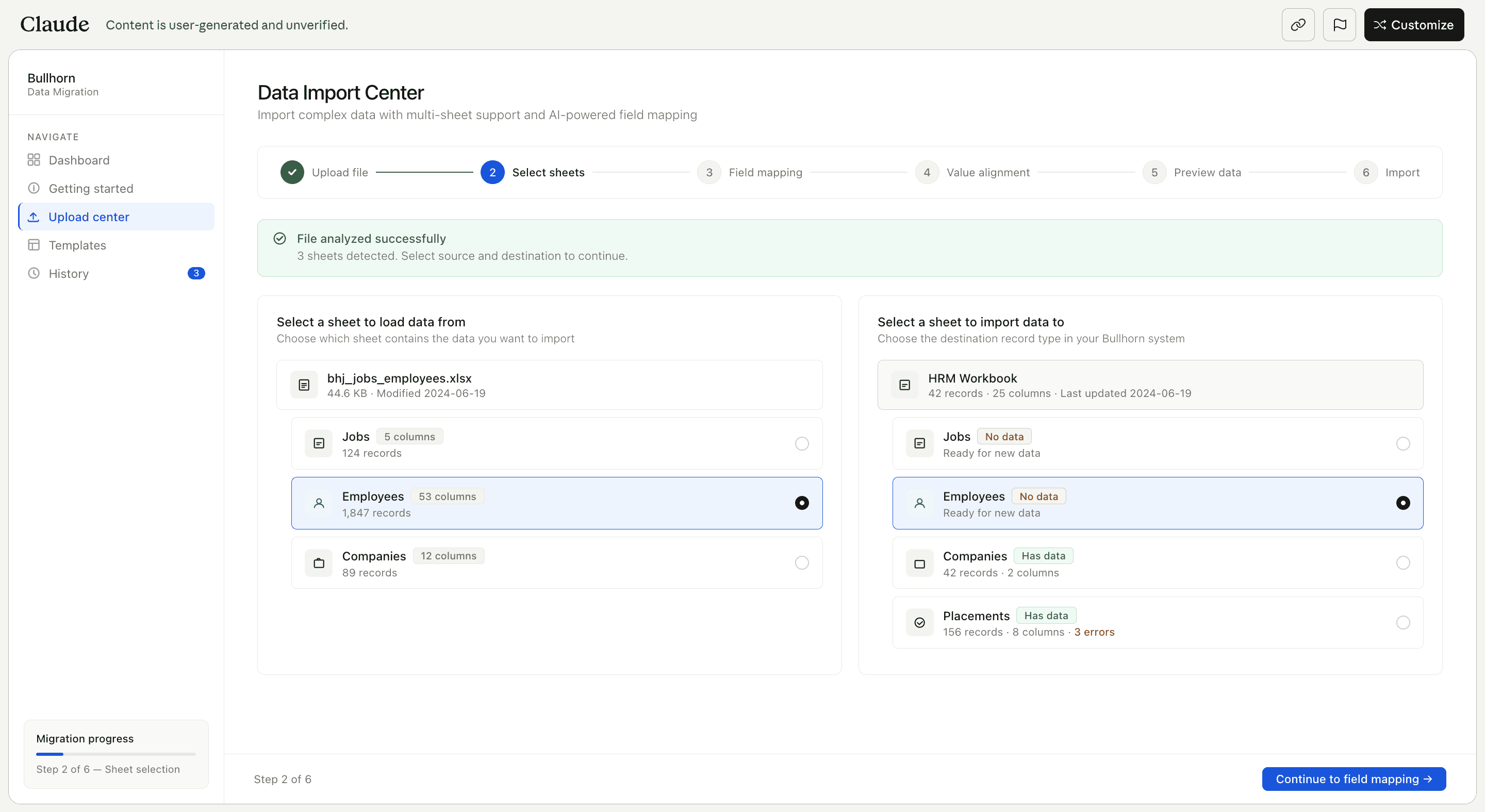
Accepts multi-tab CSV files containing all entity types at once — Jobs, Candidates, Companies — in a single import rather than requiring separate flows per record type.
4 - FIELD MAPPING
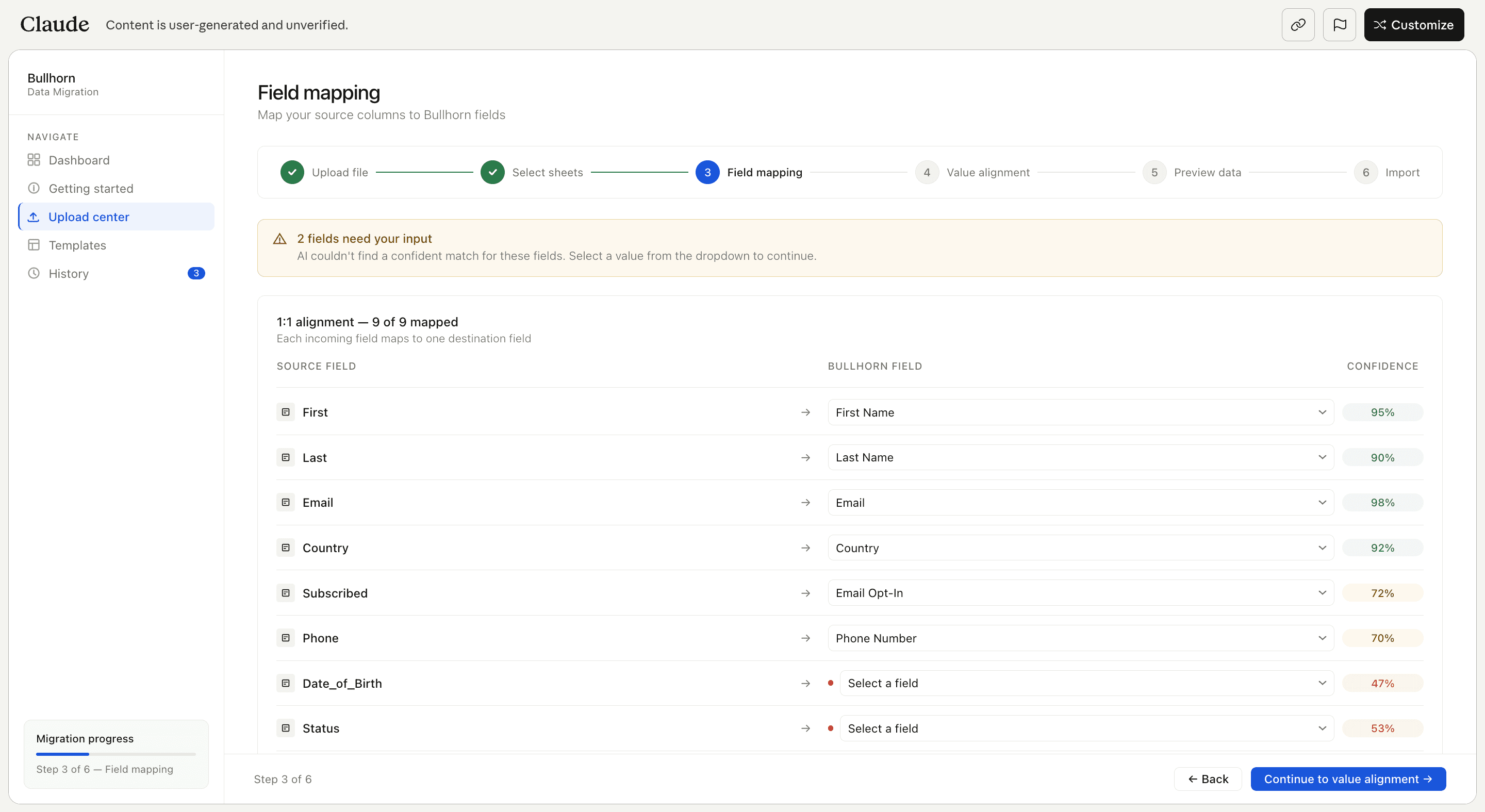
AI suggestions paired with color-coded confidence scores. Green means trust it. Amber means check it. Every field stays editable users are never locked into the AI's suggestion.
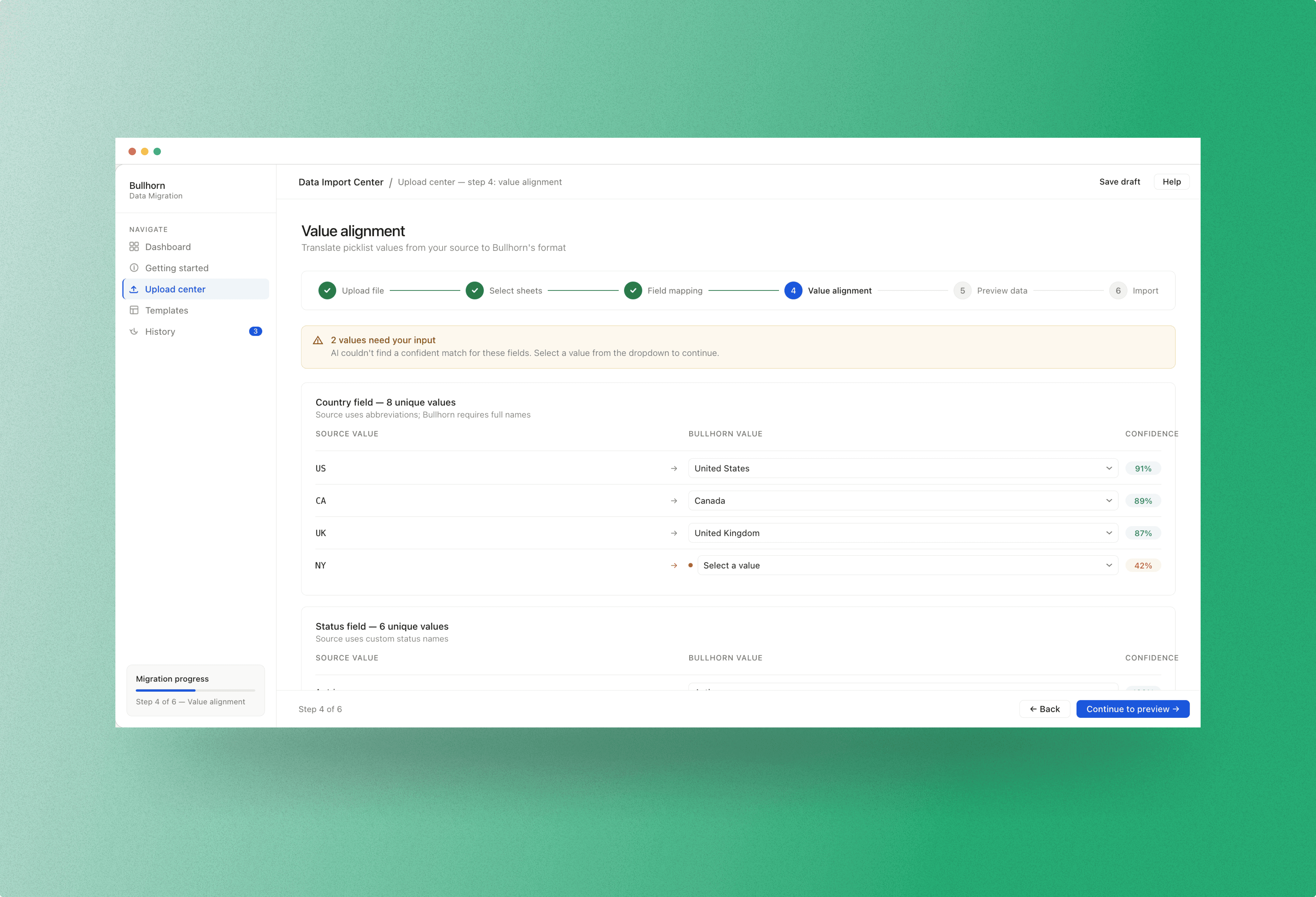
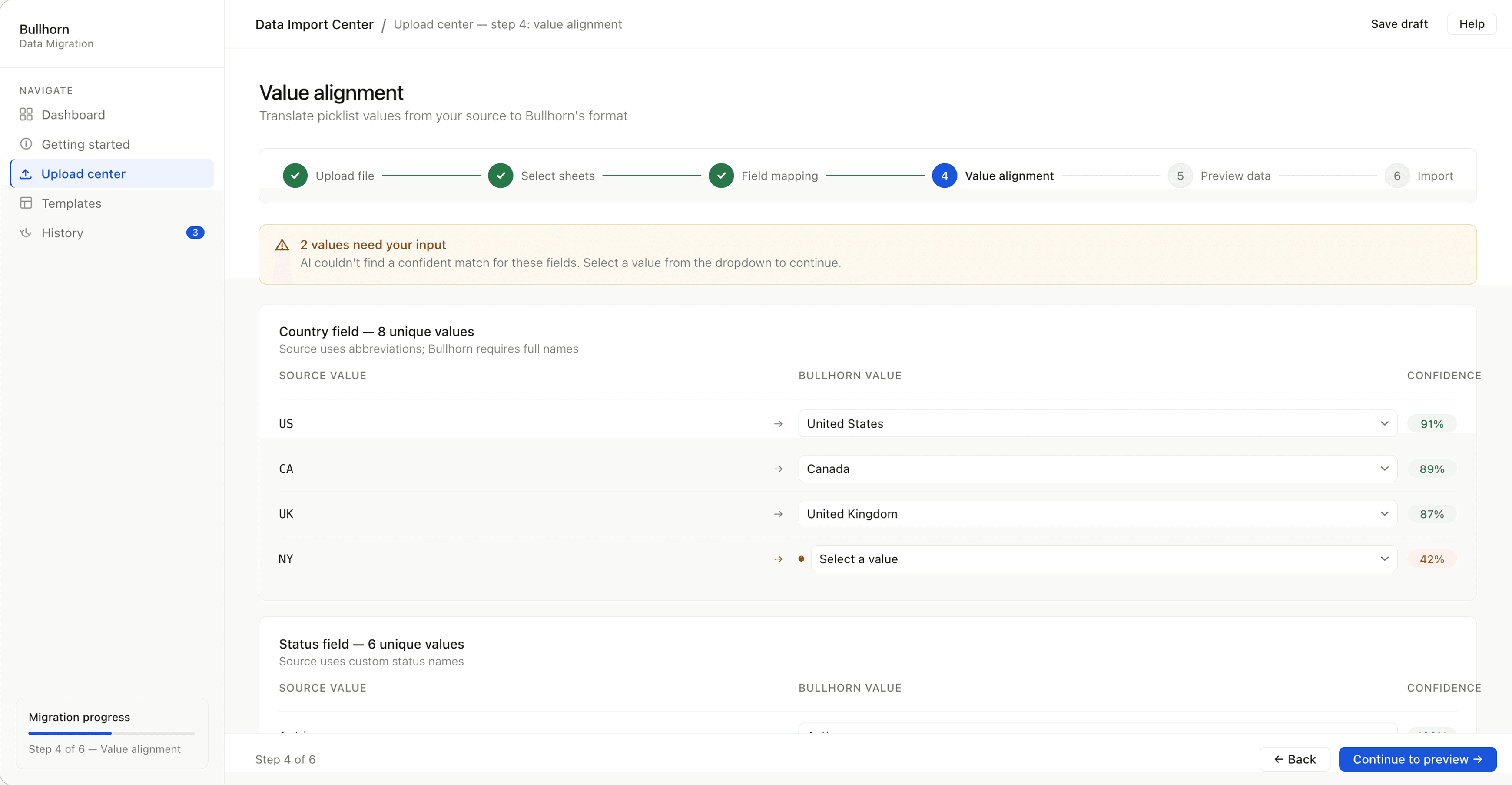
5 - VALUE ALIGNMENT
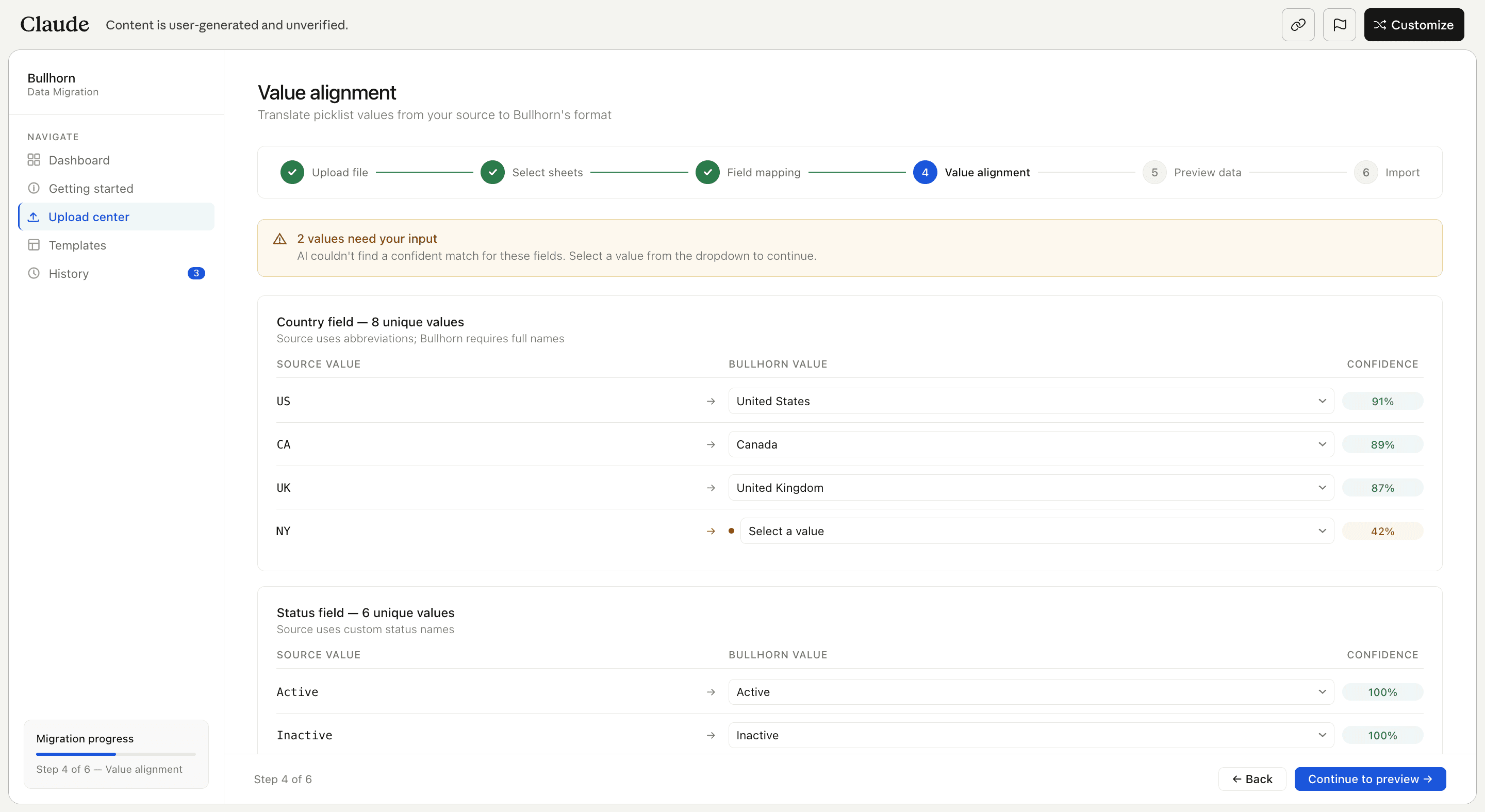
"opp" becomes Opportunity." "bad fit" becomes "Not a fit." Problems that would corrupt data silently after import are surfaced here, before anything is committed.
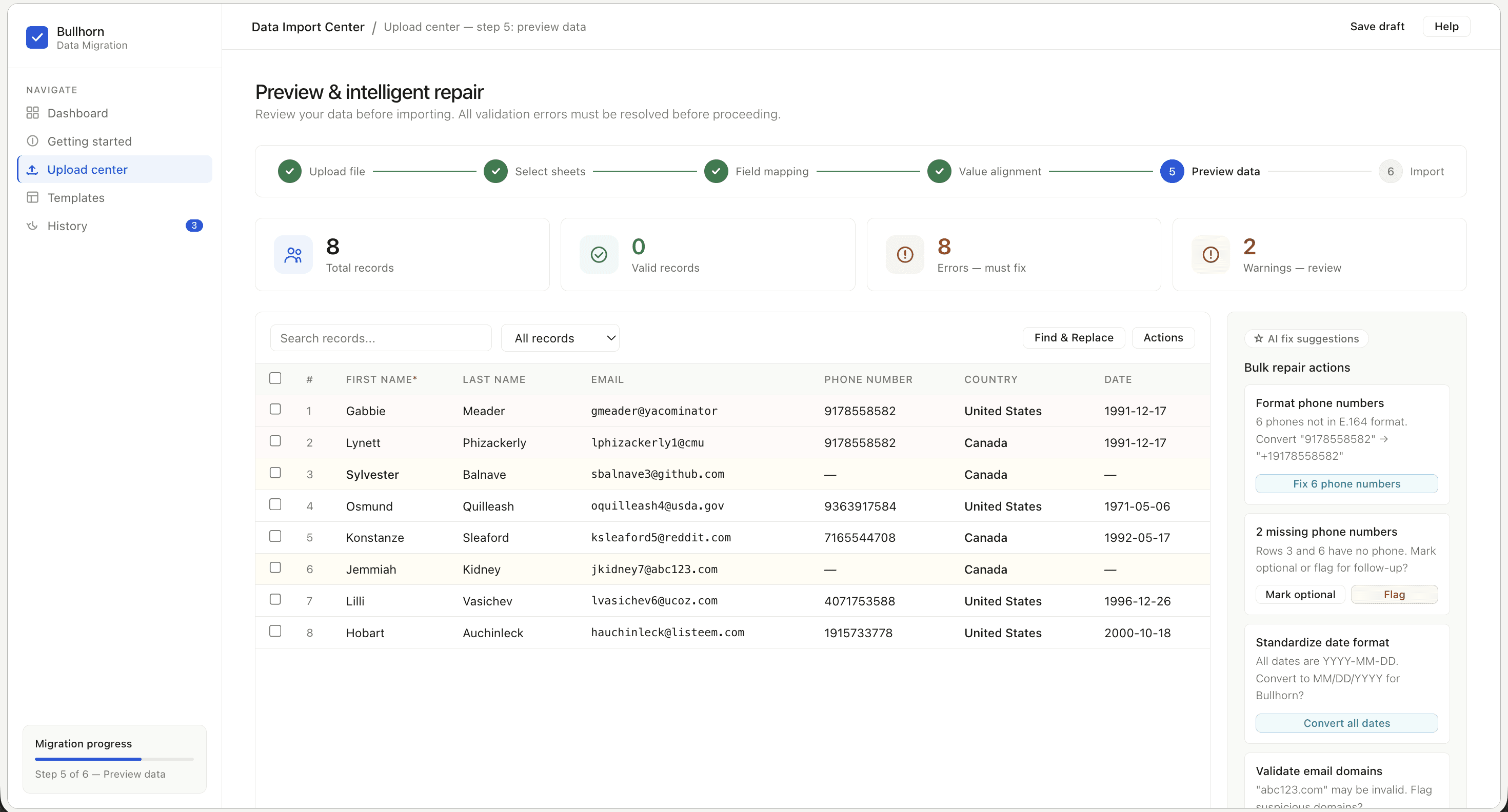
6 - PREVIEW
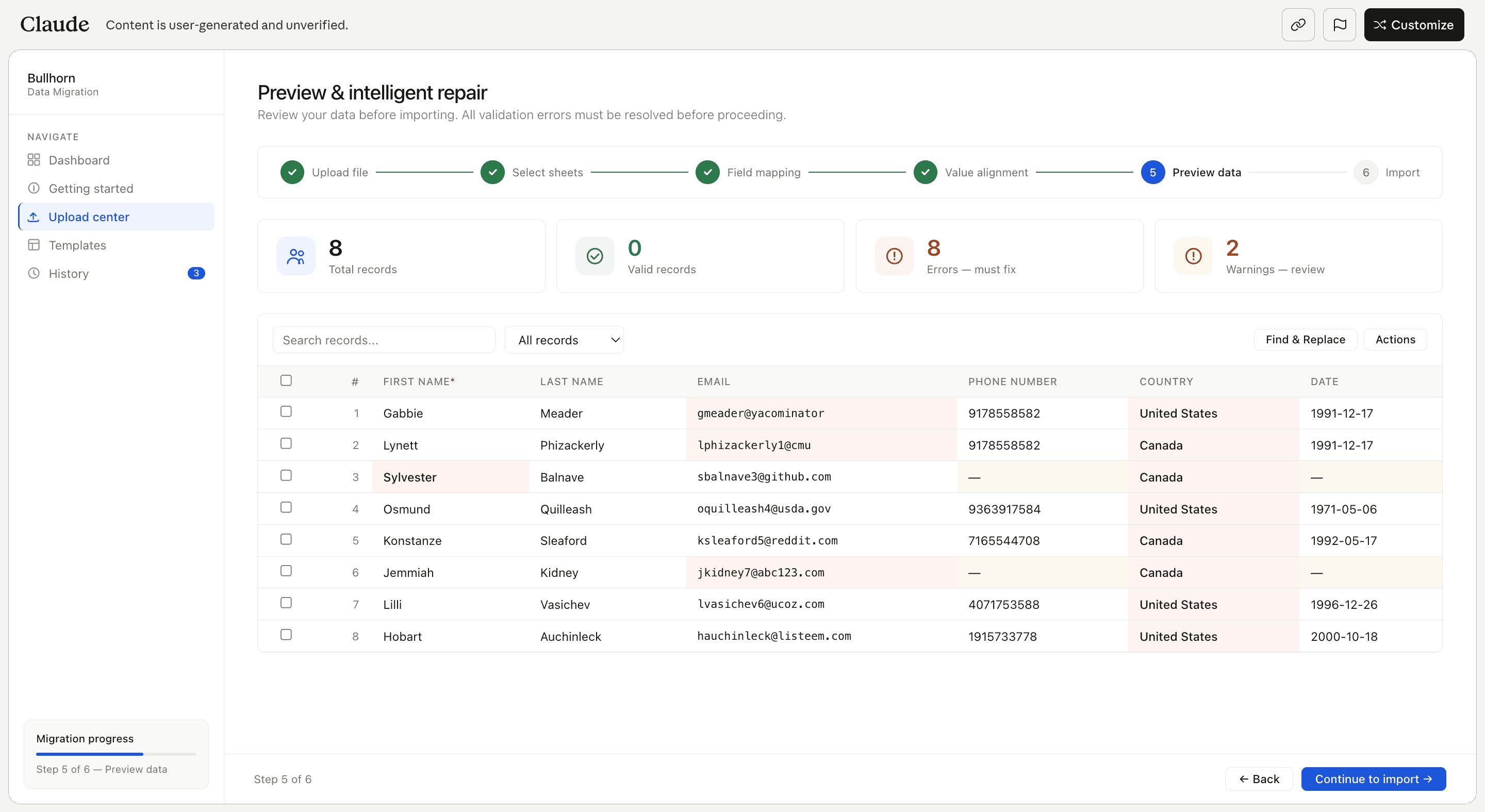
Errors highlighted inline, warnings in amber, Find & Replace for bulk fixes. Nothing imports until it's clean. Catch problems here — not after the data is already in the system.
RESULTS
A self-initiated concept landed on the product roadmap.
This project wasn't assigned. It wasn't on the roadmap. It started as a noticed pain point and became a tangible solution in under two days. The prototype was validated with the implementation team first, the speed and clarity gave stakeholders something concrete to react to rather than a vague proposal to debate. From there it went to product management and was prioritized. Zero to roadmap ready. No formal brief. No dedicated team. Just a clear problem, a focused workshop, and a working prototype. This project was still in pre-development when I transitioned out of the role, but getting an unsolicited concept onto the roadmap is an outcome in itself.
83%
Stickiness Rate
60%
Account Adoption
REFLECTION
Don't wait for permission. Build the thing.
The biggest lesson from this project wasn't about design process. It was about initiative. Problems don't get solved because they're acknowledged in a planning meeting. They get solved because someone decides to act on them. AI tools have changed what a designer can do alone. In two days I had a working prototype that stakeholders could touch, react to, and champion. That's a fundamentally different conversation than pitching an idea. A tangible solution creates its own momentum in a way that a slide deck never will. If you see the problem, you already have everything you need to start.